Best AI Tools for Teachers in 2026: Synthesia, MagicSchool, and More
(更新: )
The best AI tools for teachers in 2026 address the full teaching workflow — from lesson creation to student assessment. Synthesia enables educators to produce professional AI avatar lesson videos without a camera or studio; MagicSchool AI covers lesson planning, rubric creation, and parent communications; Quizlet AI generates study materials for students; Canva for Education powers classroom visuals; and Diffit delivers differentiated reading content for mixed-ability groups. Together these tools cover every major stage of the teaching cycle.
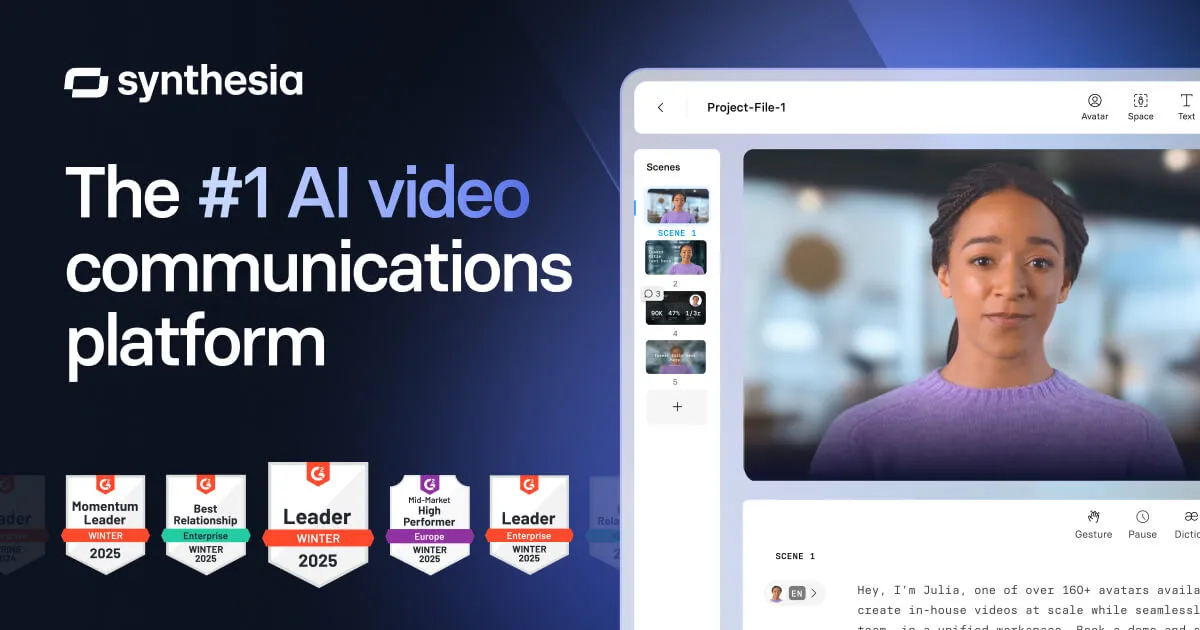
Source: Synthesia official site (synthesia.io)
Which AI tools should teachers use in 2026?
The right choice depends on where teachers spend the most time and where bottlenecks are highest. Video production, lesson planning, student study materials, classroom design, and differentiated content each call for a different tool. The sections below cover each category, followed by a comparison table and a decision flowchart.
AI tools for teachers: the five categories
| Tool | Category | Free tier | Best for |
|---|---|---|---|
| Synthesia | Lesson video creation | Yes (limited) | AI avatar videos for flipped classroom and recorded lessons |
| MagicSchool AI | Lesson planning and classroom tasks | Yes (individual plan) | Full range of daily teaching tasks |
| Quizlet AI | Study tools and flashcards | Yes (basic) | Student review, vocabulary, and practice tests |
| Canva for Education | Classroom materials and presentations | Free for qualifying educators | Visual content without graphic design skills |
| Diffit | Differentiated reading content | Free tier available | Mixed-ability groups and English language learners |
Verify current free plan limits and pricing on each provider’s site before use.
1. Lesson video creation: Synthesia
Synthesia is the leading AI video generation platform for creating professional lesson and training videos with AI avatars — no camera, no studio, and no video editing experience required.
Teachers write a script, select from 140+ AI avatars, choose from 120+ languages, and export a finished video. The result is a polished presenter-style video suited to flipped classroom delivery, recorded lesson libraries, onboarding for new students, and e-learning modules that play through any LMS.
Key features for educators:
- 140+ AI avatars and 120+ language options — useful for multilingual schools or language classes
- Teleprompter-free video production from a written script
- Branded templates and screen recording overlays for instructional content
- SCORM-compatible export for LMS platforms
- Education and team pricing available — verify current plans at synthesia.io
Key limitations:
- Avatar-based format works well for instructional content but not for demonstrations requiring real environments or physical materials
- Custom Avatar creation and API access require higher-tier plans
- Free tier is limited — verify export restrictions before planning a full lesson library
Best for: Teachers who want professional-quality recorded lessons, flipped classroom videos, or onboarding content without video production skills or equipment.
Alternatives: HeyGen (competitive avatar realism at lower entry price points), Loom (for quick screen + webcam recordings rather than avatar-based production). For a full comparison of AI video generators across avatar-based and other formats, see our category guide.
2. Lesson planning and classroom tools: MagicSchool AI
MagicSchool AI is purpose-built for K–12 and higher education teachers. Where general-purpose AI tools like ChatGPT require careful prompting to produce classroom-ready output, MagicSchool provides structured templates pre-optimized for teaching workflows.
Key features:
- Lesson plan generator: Input grade level, subject, standards, and time allocation — outputs a structured lesson plan ready to adapt
- Differentiation tool: Adapts lesson content for multiple learning levels within the same class
- Rubric creator: Generates assessment rubrics aligned to learning objectives
- Parent email drafts: Produces professional, appropriate parent communication drafts
- IEP accommodation suggestions: Helps teachers generate accommodation ideas aligned to student needs
- AI feedback for essays: Draft feedback on student writing for teacher review before sharing
Pricing: Free plan available for individual teachers (verify current limits at magicschool.ai). Paid plans for schools and districts include additional features and data privacy compliance options.
Best for: Classroom teachers who want AI assistance across the full range of daily teaching tasks — planning, assessment, communication, and differentiation — in a tool designed specifically for education.
Alternatives: ChatGPT (flexible but requires more prompting skill), Claude (strong for long-form lesson content drafting).
3. Study tools and flashcards: Quizlet AI
Quizlet is a long-established study platform that has integrated AI generation for flashcards, practice tests, and explanations. Teachers can create shareable study sets, or students can generate their own from notes or textbook excerpts.
Key features:
- AI-generated flashcard sets from a topic, text paste, or document upload
- Practice tests and learn modes that adapt to student performance
- AI explanations for concepts students mark as difficult
- Teacher dashboard for sharing sets with classes
- Free and paid tiers (verify current plan limits at quizlet.com)
Best for: Reinforcing vocabulary, facts, and concepts with students — particularly useful for language learning, science terminology, history timelines, and any content that benefits from spaced repetition.
Alternatives: Anki (free and highly configurable, but requires more setup than Quizlet), Kahoot (for game-based classroom review rather than self-paced study).
4. Educational materials and presentations: Canva for Education
Canva’s free Education program gives qualifying teachers and students access to Canva Pro features — including AI-assisted design tools — at no cost.
Key features:
- Magic Design: AI-generates slide decks and visual layouts from a topic or content paste
- Magic Media: AI image generation within design templates
- Thousands of education-specific templates for presentations, worksheets, certificates, and infographics
- Classroom assignment and sharing features for student collaboration
- Free for qualifying educators — verify eligibility at canva.com/education
Best for: Creating visually engaging classroom materials — presentations, worksheets, infographics, and event flyers — without graphic design skills or software licenses.
Alternatives: Google Slides (free, familiar, strong for collaboration), Microsoft PowerPoint with Copilot (AI-assisted for Microsoft 365 subscribers).
5. Differentiated content: Diffit
Diffit addresses one of the most time-intensive challenges in teaching: producing reading materials at different levels for students with diverse abilities in the same classroom.
Key features:
- Input a topic, a URL, or a document, and Diffit generates a differentiated reading passage at multiple reading levels
- Includes comprehension questions, vocabulary support, and key vocabulary at each level
- Useful for ELL students who need the same content at a lower reading level
- Saves the time of manually rewriting the same material for different ability groups
Best for: Teachers working with mixed-ability groups, English language learners, or any classroom where students span multiple reading levels for the same content.
Alternatives: MagicSchool AI’s differentiation tool (more integrated into the broader teaching workflow), ChatGPT (can produce differentiated text with detailed prompts but requires more manual work).
Which AI tools should you use?
How to combine these tools
These tools address different parts of the teaching cycle and work well together rather than competing:
Pre-lesson preparation: Use MagicSchool AI to generate a lesson plan and rubric. Use Diffit to prepare differentiated reading materials for mixed-ability groups. Use Canva for Education to build the presentation or worksheet.
Lesson delivery: Use Synthesia to produce recorded video versions of lessons for flipped classroom delivery or absent students. Videos can be embedded in your LMS alongside live teaching materials.
Student review and assessment: Share Quizlet sets for student self-study. Use MagicSchool AI to generate draft feedback on essays before reviewing and personalizing for each student.
The five tools together cover the full teaching workflow without major overlap. Teachers who start with MagicSchool AI for planning and Synthesia for video production cover the highest-leverage starting points; Quizlet, Canva, and Diffit fill in the supporting layers.
Synthesia in particular solves a persistent problem for teachers who want to offer recorded lessons or build a flipped classroom model but lack the equipment or editing skills for traditional video production — visit synthesia.io to verify current education pricing and plan options.
For teachers who need AI-generated narration or voice-over for multimedia content outside of Synthesia’s built-in audio, the best AI voice generators covers standalone tools that pair well with video production workflows.
Pricing verified June 2026 — check vendor page before purchasing. Based on publicly available information from each provider’s official website, pricing pages, and documentation as of June 2026. Feature assessments reference published product documentation and third-party comparisons. Last updated: June 26, 2026. Contains affiliate links (disclosure policy).