Best AI Productivity Tools of 2026: Honest Picks for Getting More Done
(更新: )
The best AI productivity tools of 2026 fall into five clear categories: launchers and command palettes ( Raycast leads here), AI scheduling assistants (Motion, Reclaim AI), AI-enhanced note-taking and knowledge management (Notion AI, Mem), and AI email clients (Superhuman). The right starting point depends on where you lose the most time — not which tool has the longest feature list.
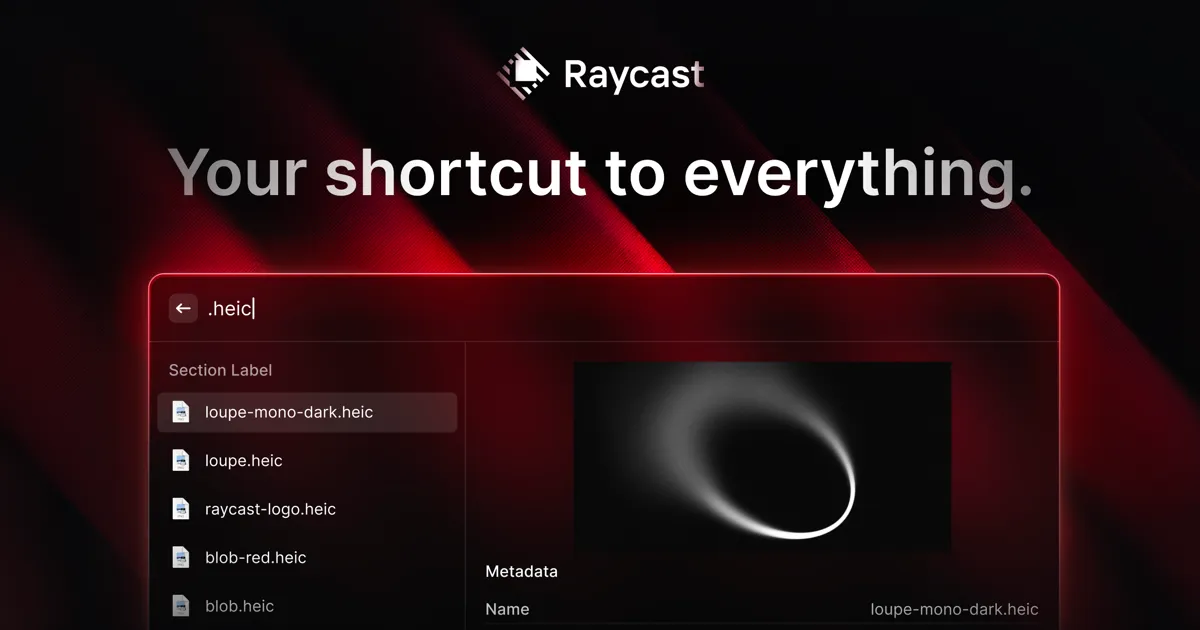
Source: Raycast official site (raycast.com)
Bottom line (up front): For Mac users, install Raycast first — it’s free, replaces multiple tools, and ships AI commands on the Pro tier. For calendar chaos, test Motion or Reclaim AI. For knowledge overload, Notion AI or Mem. For email, Superhuman if you can justify the price. Most people need one tool from two categories at most — not a full stack.
Why most “productivity stacks” underdeliver
Adding tools does not automatically increase output. The productivity apps that actually deliver in 2026 share a pattern: they reduce friction in a specific, recurring workflow rather than adding a new interface to manage. The tools covered here were selected because each has a clear, defensible “job to be done” — a specific bottleneck it reliably removes — rather than broad feature sprawl.
Full comparison: top AI productivity tools of 2026
| Tool | Category | Free tier | Paid plans (approx.) | Best for |
|---|---|---|---|---|
| Raycast | Launcher / command palette | Yes (full core) | Pro subscription (AI + Teams) | Mac power users: search, snippets, AI commands |
| Notion AI | Notes + knowledge management | Notion free plan; AI is a paid add-on | ~$8–$10/user/mo for AI add-on | Teams who already use Notion; docs, wikis, meetings |
| Motion | AI calendar scheduling | No (trial only) | ~$19–$34/user/mo | Deadline-heavy schedules with many shifting tasks |
| Reclaim AI | AI time-blocking | Limited free tier | ~$10–$20/user/mo | Protecting habits, focus blocks, and meeting buffers |
| Superhuman | AI email client | No | ~$25–$30/user/mo | Inbox Zero practitioners; high-volume email workflows |
| Mem | AI note-taking | Free tier (limited) | ~$8–$15/mo | Individuals who want auto-organized, searchable notes |
Prices are approximate as of June 2026. Verify current details on each provider’s official pricing page — rates in this market change frequently.
Raycast: the best free productivity upgrade for Mac users
Raycast is a macOS launcher and command palette that replaces the default Spotlight search (see Raycast vs Alfred vs Spotlight for a full comparison) and, for many users, several standalone tools. At zero cost, the core app includes clipboard history, custom text snippets, window management commands, and an extension directory with over 1,000 community-built extensions covering tools like Notion, GitHub, Linear, Slack, Jira, and more. This means searching across your most-used services without leaving the keyboard — from a single hotkey.
Key strengths:
- Core features (clipboard history, snippets, window management, extensions) are fully free with no time limit
- 1,000+ extensions in the official Raycast Store as of 2026, covering the most common SaaS tools — including developer tools like GitHub, Linear, and Vercel
- Native Apple Silicon support — runs as an ARM64 binary on M1 through M4 Macs
- Pro tier adds Raycast AI: native AI commands (summarize, improve writing, translate, generate code) powered by multiple underlying models, accessible directly from the launcher
- Replaces the need for a separate clipboard manager, snippet expander, and window manager — reducing tool count rather than adding to it
Key limitations:
- macOS only — no Windows or Linux support
- AI features (Raycast AI) require the Pro subscription; free-tier AI functionality is available through third-party extensions that use your own API keys
- Does not replace a full task manager, calendar scheduler, or note-taking system — it sits above those tools, not instead of them
Pricing: Core app is free. Pro adds AI features and Teams capabilities — check raycast.com for current pricing, as plans evolve. For a hands-on feature breakdown, see our full Raycast review.
Best for: Mac users who switch between many apps, maintain large clipboard histories, rely heavily on snippets, or want AI writing commands available system-wide without opening a browser.
Notion AI: knowledge management with AI built in
Notion AI is an add-on layer to the existing Notion workspace (notes, wikis, databases, project tracking) that adds AI writing, summarization, action-item extraction from meeting notes, and a Q&A interface for querying your workspace. For teams already living in Notion, the AI features remove a meaningful amount of manual work — summarizing long docs, extracting follow-ups from meeting transcripts, and drafting first versions of structured content.
Key strengths:
- Works inside an existing Notion workspace — no migration required if your team already uses it
- AI Summary and AI Q&A features can process long documents and answer questions from your own notes
- “AI autofill” for databases can populate fields like status, tags, and summaries automatically
- Strong team and permission model for shared wikis and docs
Key limitations:
- AI is a paid add-on on top of an existing Notion plan — costs compound for larger teams
- Not useful if your team does not already use Notion; migrating to Notion just for AI features is a large switching cost
- AI outputs require human review — as with all AI writing tools, accuracy and tone vary
Pricing: Notion free plan is available; AI features are a paid add-on (~$8–$10/user/month — verify at notion.so/pricing).
Best for: Teams already using Notion for documentation, wikis, or project management who want AI assistance on top of existing content.
Motion: AI-powered calendar scheduling for deadline-heavy work
Motion automatically schedules your tasks onto your calendar based on deadlines, estimated durations, and available time slots — and it rebuilds the schedule dynamically as priorities shift throughout the day. Instead of manually time-blocking, you add tasks with deadlines and let Motion place them. When a meeting runs long or a new urgent task appears, Motion re-plans automatically.
Key strengths:
- Dynamic scheduling: automatically reprioritizes and replaces tasks in real time as your calendar changes
- Integrates with Google Calendar and Outlook to see your full schedule in one view
- Useful for users managing many concurrent deadlines across multiple projects
- Meeting scheduling assistant included (similar to Calendly-style booking)
Key limitations:
- No free tier — trial period only; pricing is in the $19–$34/user/month range (verify at usemotion.com)
- The automated nature requires trusting the system’s prioritization logic; users who want full manual control may find it frustrating
- Can feel aggressive if your workflow involves flexible, unstructured creative time
Best for: Freelancers, project managers, and professionals juggling multiple concurrent deadlines who want their calendar filled optimally without manual time-blocking.
Reclaim AI: protecting focus blocks and personal habits
Reclaim AI focuses on a slightly different problem from Motion: protecting recurring commitments — habits, focus blocks, personal tasks, and meeting prep time — rather than purely optimizing for deadline throughput. It learns your preferences over time and automatically finds and defends slots for the recurring items you designate. It also integrates with Slack to update your availability status automatically based on your calendar.
Key strengths:
- Habit scheduling: automatically places recurring personal tasks (exercise, reading, deep work) in available slots and reschedules them if meetings take over
- Slack integration syncs your status with your calendar — “in deep work,” “in a meeting,” or “available” — without manual updates
- Smart meeting protection creates buffer time and prep blocks around meetings
- Free tier available (limited features)
Key limitations:
- Scheduling logic is less aggressive on deadline prioritization than Motion — better for protecting habits than managing shifting task loads
- Requires calendar access and some initial configuration to set priorities and habits
- Paid pricing is in the $10–$20/user/month range (verify at reclaim.ai)
Best for: Individuals who want to protect recurring habits and focus time, automate Slack status, and reduce meeting-caused disruption to deep work.
Superhuman: AI email for high-volume inboxes
Superhuman is a premium email client (works with Gmail and Outlook) built around the Inbox Zero methodology and optimized for speed. The AI layer adds email thread summarization, draft suggestions, and AI triage that surfaces emails needing attention and collapses lower-priority threads. The keyboard-first interface and split-second load times are the product’s main differentiators — it is significantly faster to triage email in Superhuman than in Gmail’s default interface.
Key strengths:
- AI Triage: surfaces emails that need action and separates them from FYIs and newsletters
- AI thread summarization for long email chains
- Keyboard-first design eliminates most mouse usage in email — faster triage for high-volume users
- “Remind me” and snooze functions built into the core workflow
- Read receipts and send later features included
Key limitations:
- Premium pricing (~$25–$30/user/month — verify at superhuman.com) is a meaningful commitment for individual users
- No free tier; onboarding requires a setup call with the Superhuman team
- The Inbox Zero philosophy is opinionated — if you prefer keeping emails in your inbox as a to-do list, Superhuman’s workflow will feel counterintuitive
- Gmail and Outlook only; no support for other email providers
Best for: Professionals receiving 50+ emails per day who are committed to an Inbox Zero workflow and can justify a premium subscription for meaningful time savings.
Mem: AI-organized notes without manual tagging
Mem is a note-taking app that uses AI to automatically connect, tag, and resurface notes based on context — without requiring you to manually organize everything into folders or apply tags. You write notes; Mem links them to related content, people, and projects automatically. The “Mem X” AI layer adds a chat interface for querying your entire note library in natural language.
Key strengths:
- Automatic context linking: notes are connected to related content, people, and dates without manual tagging
- Natural language search across all your notes via the Mem X AI chat interface
- Capture-first philosophy — optimized for quick capture, organization happens automatically
- Good mobile and quick-capture experience
Key limitations:
- Less structured than Notion for team wikis and database-style project management
- Best suited for individual knowledge workers rather than teams with shared documentation needs
- Free tier exists but is limited; full AI features require a paid plan (~$8–$15/month — verify at mem.ai)
Best for: Individual knowledge workers, researchers, and writers who want automatic note organization without the overhead of manual tagging and folder management.
Use-case recommendation table
| If your main bottleneck is… | Start with | Why |
|---|---|---|
| Switching between apps and searching across tools (Mac) | Raycast | Free, replaces multiple tools, 1,000+ extensions |
| Calendar chaos and missed deadlines | Motion | Builds and rebuilds your schedule automatically |
| Losing deep work time to meetings and unprotected slots | Reclaim AI | Defends focus blocks and habits; Slack integration |
| Email overload and slow triage (Gmail / Outlook) | Superhuman | AI triage + keyboard-first speed |
| Knowledge scattered across too many documents | Notion AI or Mem | Auto-organize existing content (Mem) or team docs (Notion) |
| AI writing assistance system-wide on Mac | Raycast Pro | AI commands available from any app via hotkey |
Which tool should you choose?
flowchart TD
  A[Where do you lose the most time?] --> B{App switching on Mac?}
  B -- Yes --> C[Raycast]
  B -- No --> D{Calendar chaos or missed deadlines?}
  D -- Yes --> E{Flexible habits or shifting tasks?}
  E -- Habits --> F[Reclaim AI]
  E -- Shifting tasks --> G[Motion]
  D -- No --> H{Email overload?}
  H -- Yes --> I[Superhuman]
  H -- No --> J{Knowledge scattered across docs?}
  J -- Yes --> K{Team or individual?}
  K -- Team --> L[Notion AI]
  K -- Individual --> M[Mem]
How to choose without overbuilding your stack
Pick one category first. The most common productivity mistake is solving five problems at once. Identify the single workflow where you lose the most time each week — app-switching friction, calendar chaos, email overload, or knowledge disorganization — and solve that first. Once it runs smoothly, add the next layer.
Test free tiers before committing to paid plans. Raycast’s free core, Reclaim AI’s limited free tier, and Mem’s free plan let you validate fit before paying. Motion and Superhuman offer trial periods — use them on real work, not curated demos.
Prefer tools that reduce your total stack, not increase it. Raycast is a useful model here: it eliminates separate apps for clipboard history, snippets, and window management while adding a command palette layer. Look for tools that replace things you’re already doing with other software, rather than adding entirely new surfaces to manage.
Factor in switching cost honestly. Tools like Notion AI only deliver value if your team already uses Notion. Superhuman requires an onboarding investment. Motion requires ceding scheduling control to an algorithm. Fit matters more than feature count.
FAQ
What is the best AI productivity tool in 2026?
There is no single best tool — the right pick depends on your biggest bottleneck. For Mac users who want AI commands, app switching, and task automation in a single launcher, Raycast is the standout free-to-start option. For calendar scheduling and time-blocking automation, Motion and Reclaim AI compete closely. For knowledge management, Notion AI and Mem lead. For email triage, Superhuman is the strongest choice. Start with the category where you lose the most time.
Is Raycast free?
Raycast’s core app is free with no time limit and no usage cap — clipboard history, snippets, window management, and 1,000+ extensions are all included at no cost. The Pro tier adds native AI commands (Raycast AI, powered by multiple models) and Teams features via a monthly or annual subscription. Check raycast.com for current pricing, as plans evolve with new feature releases.
What is the difference between Motion and Reclaim AI?
Both tools auto-schedule tasks and protect focus blocks on your calendar, but their approaches differ. Motion emphasizes dynamic task reprioritization — it rebuilds your daily schedule in real time as things shift. Reclaim AI focuses more on habits and buffer time, and integrates tightly with Slack status to signal availability. Motion tends to suit users with a high volume of shifting tasks; Reclaim suits those who want to protect recurring personal habits and meeting prep time. Pricing for both is in the $10–$20/user/month range — verify current rates on each provider’s site.
Can AI tools actually help with email overload?
Yes, meaningfully. Superhuman uses AI triage to surface the emails that need action and mute the rest. It also offers an AI feature that summarizes long email threads and drafts replies. The tool is opinionated — it requires you to reach Inbox Zero as a workflow — which suits some users and frustrates others. For lighter email management, Notion AI’s writing assistance and Raycast’s Quick Links and snippets can cut email drafting time. Superhuman’s pricing is in the $25–$30/user/month range; verify current pricing at superhuman.com.
How much do AI productivity tools cost?
Costs vary widely by category. Raycast’s core is free; Pro adds AI features for a monthly/annual fee (check raycast.com). Notion’s AI features are an add-on to existing plans ($8–$10/user/month for AI, plus base plan cost — verify at notion.so/pricing). Motion and Reclaim AI are typically in the $10–$20/user/month range. Superhuman is at the premium end ($25–$30/user/month). Mem is in the $8–$15/month range. Check each provider’s current pricing before subscribing, as this market changes frequently.
Pricing verified June 2026 — check vendor pages before purchasing. Based on publicly available information from each provider’s official website, pricing pages, and documentation as of June 2026. Last updated: June 24, 2026. Contains affiliate links (disclosure policy).