Best AI Tools for Developers in 2026: Raycast, Cursor, GitHub Copilot, Warp and More
(更新: )
The best AI tools for developers in 2026 address different parts of the workflow: launcher and productivity, code completion, terminal, and IDE. Raycast leads the macOS launcher category with a deep AI command layer that extends well beyond search; GitHub Copilot is the most widely adopted in-editor code assistant; Cursor offers an AI-native IDE with stronger project-context reasoning; and Warp brings AI to the terminal itself. This guide covers each tool’s strengths, limitations, and the workflow they fit best.
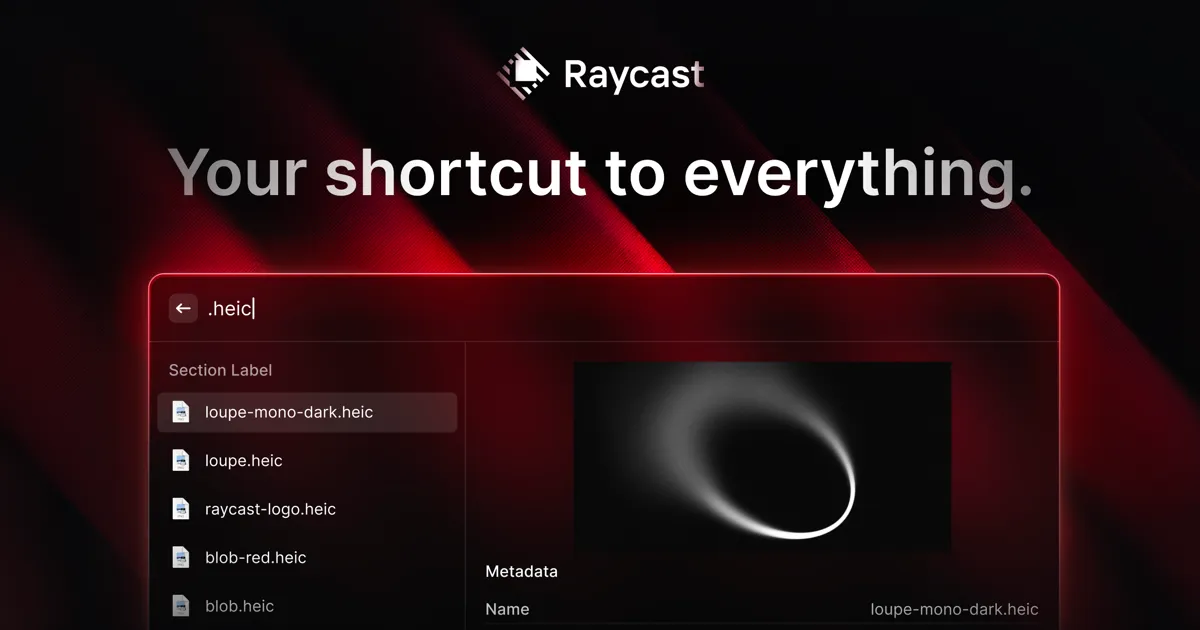
Source: Raycast official site (raycast.com)
Quick verdict: For macOS launcher and general AI productivity → Raycast. For in-editor code completion that works with your current IDE → GitHub Copilot. For an AI-native IDE with project-wide code context → Cursor. For AI in the terminal → Warp. Most developers end up using tools from more than one of these categories.
Full comparison table: top AI tools for developers
| Tool | Category | Platform | Free tier | AI features | Best for |
|---|---|---|---|---|---|
| Raycast | Launcher / productivity | macOS | Yes | AI commands, translation, custom prompts | Productivity, workflows, snippets |
| GitHub Copilot | Code completion | VS Code, JetBrains, Neovim | No (free for students/OSS) | Code completion, chat, PR review | In-editor code completion |
| Cursor | AI IDE | macOS, Windows, Linux | Yes | Project-aware code generation, codebase chat | AI-native IDE workflows |
| Warp | Terminal | macOS, Linux (beta) | Yes | Command explanation, natural language search | AI-powered terminal |
| Tabnine | Code completion | Multi-IDE | Yes | Local and cloud AI completion | Privacy-focused completion |
Pricing and features as of June 2026 — verify on each provider’s official pricing page before subscribing.
Raycast: AI productivity for macOS developers
Raycast is a macOS launcher that replaces Spotlight with a significantly more capable productivity layer. For developers, its value extends beyond app switching and file search: the extension ecosystem covers everything from Git commands and GitHub PR management to database queries, API testing shortcuts, and clipboard history. The Raycast AI feature (on Pro plan) brings AI commands, translation, and custom prompt workflows directly into the launcher — so you can draft a commit message, translate an error message, or generate boilerplate without leaving your current context.
Key strengths:
- Replaces macOS Spotlight with a faster, more extensible launcher
- 1,000+ community extensions covering developer tools (GitHub, Jira, Linear, Vercel, npm, etc.)
- Snippet management with dynamic placeholders — practical for recurring code patterns and templates
- Clipboard history with search
- Raycast AI (Pro): AI commands and custom prompt workflows integrated into the launcher
- Window management without additional apps
Key limitations:
- macOS only — no Windows or Linux support
- Raycast AI features require a Pro plan (verify current pricing at raycast.com/pricing)
- The extension ecosystem is powerful but requires exploration — value compounds over time, not immediately obvious on day one
- Not an in-editor code assistant — complements IDE tools rather than replacing them
Best for: macOS developers who want a productivity multiplier for everything outside the IDE: app and file navigation, snippet management, developer tool shortcuts, and AI-assisted quick tasks. See our Raycast review for a full feature walkthrough.
GitHub Copilot: the most widely adopted code completion tool
GitHub Copilot is an AI code completion plugin that integrates into your existing IDE — VS Code, JetBrains (IntelliJ, PyCharm, WebStorm, and others), Neovim, and GitHub’s web editor. It suggests completions at the line and block level, generates function implementations from docstrings or comments, and includes a chat interface for asking code questions without leaving the editor.
Key strengths:
- Works inside your existing IDE without changing your setup
- Supports a wide range of languages — JavaScript, TypeScript, Python, Go, Rust, C++, and many others
- Inline suggestions and multi-line completions that understand surrounding code context
- Copilot Chat for asking questions, explaining code, and generating tests in natural language
- Free for verified students and open-source maintainers; otherwise subscription (verify at github.com/features/copilot)
Key limitations:
- Suggestions are based on the current file context — does not reason across your full codebase the way Cursor does
- Suggestion quality varies significantly by language and task type — stronger on common patterns, weaker on novel or niche code
- Privacy considerations for proprietary codebases — check GitHub’s current data usage policy before using on sensitive code
- Requires a paid subscription for most individual and business users
Best for: Developers who want AI code completion in their current IDE without changing their workflow. The most practical starting point for most developers new to AI coding tools.
Cursor: AI-native IDE with project-wide context
Cursor is an IDE built on VS Code that adds AI-native capabilities not available in Copilot. The key difference is context depth: Cursor can reference your entire codebase when generating suggestions and answering questions, not just the current file. This project-wide awareness produces more relevant suggestions for complex multi-file tasks — refactoring a module, understanding an unfamiliar codebase, or generating code that must coordinate with existing interfaces.
Key strengths:
- Project-wide codebase context — reference any file or symbol in AI queries
- AI chat with codebase awareness — ask questions about code across your entire project
- Multi-file code generation and editing instructions
- Built on VS Code — familiar interface, extension compatibility for most VS Code extensions
- Composer mode for describing changes in natural language and applying them across multiple files
Key limitations:
- Requires switching your IDE — some VS Code extensions or configurations may not transfer perfectly
- Pro plan required for full AI features; verify current pricing at cursor.com
- Project-wide context indexing takes time on very large codebases
- Like all AI coding tools, outputs require review — project-aware does not mean always correct
Best for: Developers working on complex or unfamiliar codebases who want AI assistance that understands the full project rather than just the current file. Strong choice for those willing to switch IDEs for better AI integration.
Warp: AI in the terminal
Warp is an AI-powered terminal that replaces traditional shell emulators on macOS (with Linux available in beta). Its AI features address the specific friction of command-line work: explaining what a command does, translating a natural language description into a shell command, and providing contextual help without leaving the terminal.
Key strengths:
- Natural language to command translation — describe what you want to do, get the shell command
- Command explanation — understand what a command does before running it
- Warp Drive: shared command workflows for teams
- Block-based output — navigate and select previous command outputs as discrete units rather than scrolling raw text
- Fast, GPU-rendered terminal with modern UI
Key limitations:
- macOS primarily (Linux in beta as of mid-2026); no Windows version
- AI features require account sign-in and network access
- Team features require paid plan — verify at warp.dev/pricing
- Some developers prefer terminal tools that do not require account creation or cloud connectivity
Best for: Developers who spend significant time in the terminal and want AI-assisted command lookup, explanation, and workflow sharing without switching to a different shell or language.
Which AI developer tool should you choose?
flowchart TD
  A[AI tool for dev workflow?] --> B{Need code completion in IDE?}
  B -- Yes --> C[GitHub Copilot or Cursor]
  B -- No --> D{macOS launcher?}
  D -- Yes --> E[Raycast]
  D -- No --> F{Terminal AI?}
  F -- Yes --> G[Warp]
  F -- No --> H[Evaluate all four]
Use case recommendation
| Workflow need | Best tool | Why |
|---|---|---|
| Code completion in current IDE | GitHub Copilot | Easiest adoption, works in VS Code and JetBrains |
| Project-wide AI code reasoning | Cursor | Full codebase context, multi-file changes |
| macOS launcher and productivity | Raycast | Extensible, snippets, AI commands |
| Terminal AI and command help | Warp | Natural language commands, block-based output |
| Privacy-sensitive code completion | Tabnine | Local model option available |
How to pick the right combination
Most developers benefit from tools across more than one of these categories — an IDE assistant, a launcher, and possibly a terminal tool can coexist without conflicts. A practical starting point: add GitHub Copilot to your current IDE first (lowest friction), then evaluate Raycast if you are on macOS and spend time switching between apps and tools. If you later want deeper codebase reasoning, Cursor is worth a trial.
The honest constraint is attention: adding too many AI tools at once means none of them get used habitually. Start with one tool per category, build the habit, then expand.
Bottom line
The developer AI tool category in 2026 covers meaningfully different layers of the workflow. Raycast is the strongest option for macOS launcher and productivity — its extension ecosystem and AI commands save real time for tasks outside the editor, and it’s the top pick in our best AI productivity tools of 2026 roundup. GitHub Copilot and Cursor address in-editor code assistance from different angles: Copilot for lowest-friction adoption in your current IDE, Cursor for deeper project-context AI reasoning. Warp brings AI into the terminal itself. None of these tools is a substitute for the others — the best developer stack uses the right tool for each layer.
Pricing verified June 2026 — check vendor pages before purchasing. Based on publicly available information from each provider’s official website and documentation as of June 2026. Last updated: June 26, 2026. Contains affiliate links (disclosure policy).